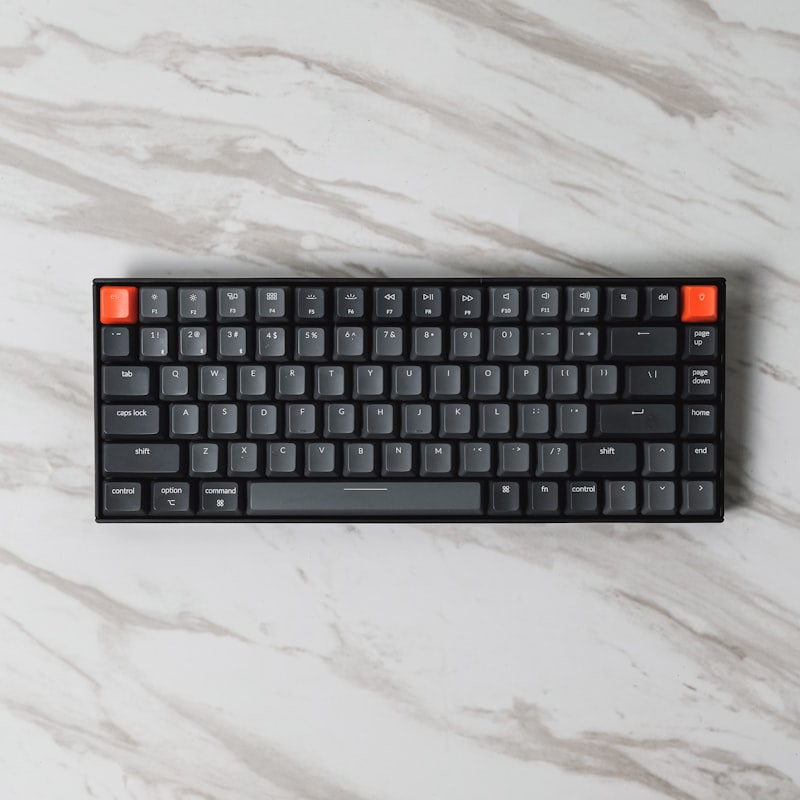
A good mechanical keyboard transforms how you work and play. The tactile feedback, build quality, and customization options are leagues beyond a basic membrane keyboard. Here are our top picks for 2026.
What Makes a Mechanical Keyboard Different
Unlike membrane keyboards where all keys feel the same mushy press, mechanical keyboards use individual switches under each key. These switches provide distinct feedback — a click, a bump, or a smooth press depending on the type. The result is more accurate typing, better durability, and a satisfying feel.
Switch Types Explained
Before picking a keyboard, you need to understand the three main switch types:
- Linear (Red/Black) — Smooth keypresses with no bump or click. Popular with gamers for fast key presses
- Tactile (Brown) — A small bump when the key activates. Great for typing because you know exactly when the key registers
- Clicky (Blue) — A bump plus an audible click sound. Satisfying to type on but loud. Not ideal for shared offices
Best Overall: Keychron Q6 Pro
The Q6 Pro offers an incredible combination of build quality, features, and value. The full aluminum case feels premium, it supports both Bluetooth and wired connections, and it comes with hot-swappable switches so you can change them without soldering. QMK/VIA firmware means you can customize every key.
Switches: Your choice of Gateron Jupiter Red, Brown, or Banana.
Best for Gaming: Razer Huntsman V3 Pro
Razer's analog optical switches offer adjustable actuation points, meaning you can set how far you need to press each key before it registers. This gives gamers an edge in competitive play. The build quality is solid, and Razer's software makes customization easy.
Switches: Razer Analog Optical.
Best Budget: Keychron C3 Pro
Under $40, the C3 Pro is the best entry point into mechanical keyboards. You get a solid build, hot-swappable switches, and compatibility with custom keycaps. It does not have Bluetooth or an aluminum case, but at this price, those are easy trade-offs.
Switches: Keychron Red or Brown mechanical.
Best for Typing: Leopold FC900R
Leopold does not chase trends. They focus on making keyboards that feel exceptional to type on. The FC900R has PBT keycaps that resist shine, Cherry MX switches, and sound dampening built into the case. No RGB, no software, no wireless — just pure typing quality.
Switches: Cherry MX Blue, Brown, Red, Black, Clear, or Silent Red.
Best Compact: Nuphy Air75 V2
If desk space is limited or you travel with your keyboard, the Air75 V2 is a standout. The low-profile design keeps it slim while still delivering a mechanical feel. Bluetooth connectivity, great battery life, and a surprisingly good typing experience for such a thin keyboard.
Switches: Nuphy Moss, Daisy, or Wisteria.
What to Look For When Buying
- Switch type — Try different switches before committing if possible. Your preference matters more than anyone's recommendation
- Layout — Full-size, TKL (tenkeyless), 75%, or 65%. Smaller layouts save desk space but remove keys you might need
- Build material — Plastic cases are lighter and cheaper. Aluminum cases sound better and feel more premium
- Hot-swap support — Lets you change switches later without buying a new keyboard
- Keycap material — PBT keycaps last longer and resist shine. ABS keycaps get glossy over time
The Bottom Line
The Keychron Q6 Pro is our top recommendation for most people. It balances quality, features, and price better than anything else on the market. Gamers should look at the Razer Huntsman V3 Pro, and anyone on a tight budget cannot go wrong with the Keychron C3 Pro.